
CollectionLow riskVersion 1.0.0New

Complete Architectural Entourage Prompt Collection

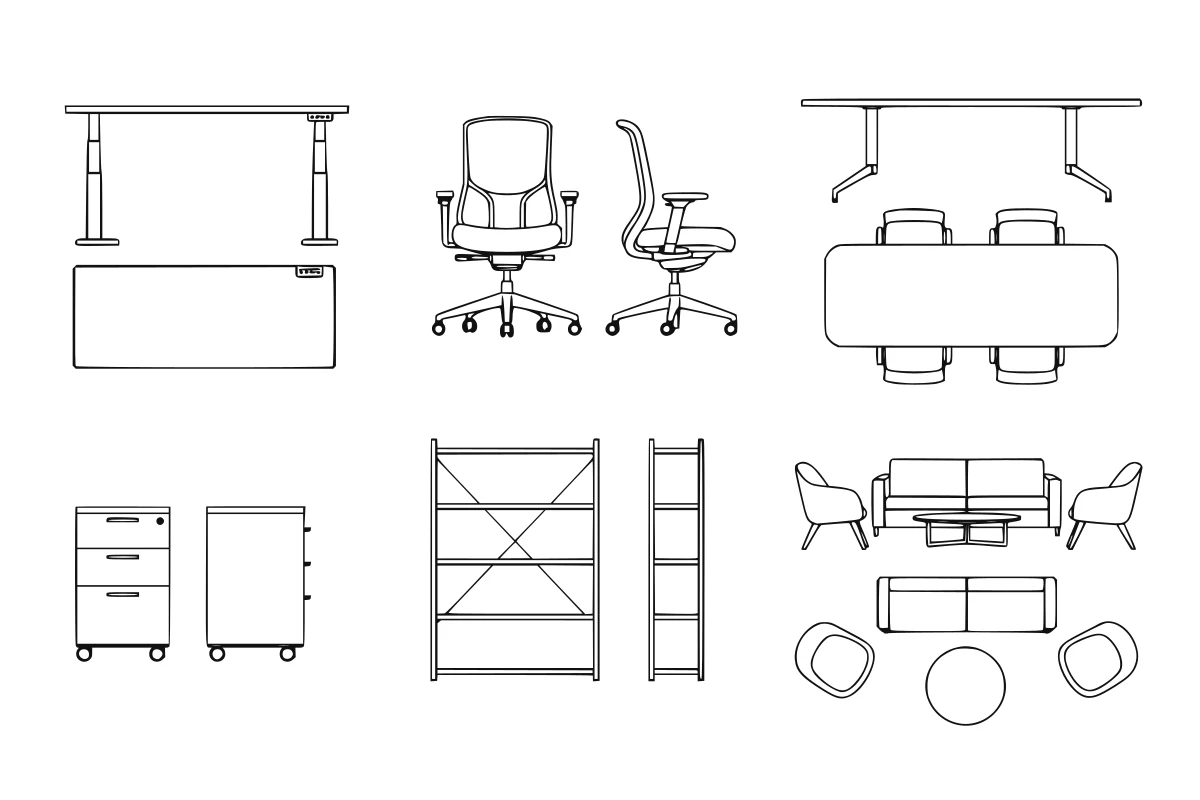
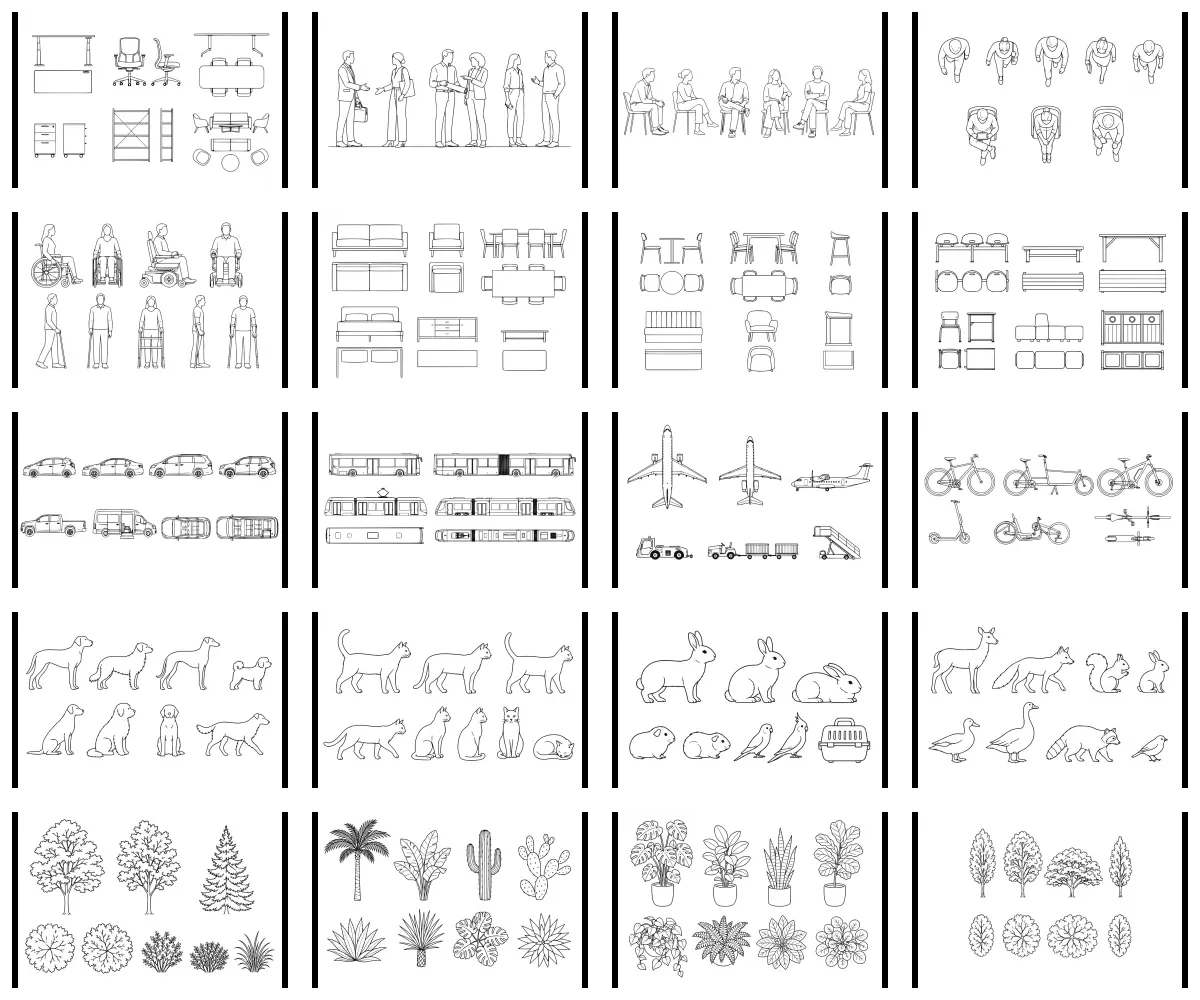
Rendered contact sheet preview representing all 20 architectural entourage prompt families Shown in Adobe Illustrator as a representative output—not a guaranteed unreviewed result.

Generate people, furniture, mobility, vehicles, animals, and planting from 20 prompt-only architectural entourage systems.

Includes 20 prompt systems. Future collection additions are included for active collection entitlements.
Render Standard · archiPrompt StudioPublished Jul 22, 2026Updated Jul 22, 2026

Required inputs

  • Entourage family · required
    One of 20 included families
  • Subjects + variants · required
    Objects, poses, quantities, or planting types
  • View + reference dimension · required
    Plan/elevation + real-world dimension
  • Drawing scale · required
    Target architectural drawing scale; the selected family provides the fixed SVG filename

Compatibility

  • ChatGPT
  • Adobe Illustrator

Last tested Jul 2026

Review boundary

Every generated SVG is a graphic starting point. The designer must review anatomy, scale, clearances, compound paths, and office standards before project use.

01

Input → method → output

The public process and a redacted example are visible before purchase.

How to install

Purchase the workflow, drop its file into ChatGPT, add your project-specific instruction, and review the result in Adobe Illustrator.

Purchase the workflow, add its file to ChatGPT, enter a sample instruction, and review the generated Adobe Illustrator deliverable.

SAMPLE INPUT

Entourage family + Subjects + variants + View + reference dimension + Drawing scale

PROCESS PREVIEW

7 controlled steps with quality checks

EXPECTED OUTPUT

20 nested prompt systems + collection router + generated grouped SVG outputs

Redacted output preview

Complete architectural entourage prompt collection

Complete architectural entourage

Families
20
Output
SVG
Price
CA$149

Choose a family

Route a request to people, furniture, mobility, transportation, animal, or planting controls.

Generate + trace

Create an approved image source, trace it into grouped SVG paths, then inspect the result in Illustrator.

20 prompt systems · future additions included · no source artwork

02

What it does

A single versioned package containing all 20 archiPrompt architectural entourage prompt systems and one master collection router. In ChatGPT Work mode, choose a family, view, dimensions, scale, and variants; ChatGPT generates and inspects a black-on-white trace source before converting it into a 99.57%-verified grouped SVG. The collection remains in owner review until its buyer simulation passes. Future additions are delivered through auditable version grants while the original order receipt remains unchanged.

One collection entitlement delivers all 20 prompt systems, a shared selector, and future versioned additions without distributing the private master artwork.

Designed for

  • Build coordinated entourage across an architectural drawing set
  • Generate project-specific variants without buying subject families separately
  • Standardize Illustrator handoff and review across people, objects, mobility, animals, and planting

03

Included files + delivery

README.mdMarkdownSetup, use, and professional boundary
COLLECTION-PROMPT.mdMarkdownPrimary workflow entry point
variables.jsonJSONInputs and output configuration
sample-input.mdMarkdownRepresentative input structure
sample-output.mdMarkdownRepresentative output structure
manifest.jsonJSONPackage contract and permissions
qa-report.jsonJSONValidation and review record

Delivered as a versioned ZIP package. After verified payment, the exact purchased version is available through the buyer's private Library.

04

Workflow steps

  1. 01

    Open Work mode

    Use ChatGPT Work mode so image generation, Python tracing, and generated-file downloads are available.

  2. 02

    Choose a family

    Use the master collection prompt to select one of the 20 included subject systems.

  3. 03

    Set the drawing controls

    Provide subjects, view, dimensions, scale, and variants; the selected family supplies its fixed SVG filename.

  4. 04

    Route the prompt

    Use COLLECTION-PROMPT.md to load the dedicated family contract.

  5. 05

    Generate the trace source

    Use ChatGPT image generation to create and inspect the controlled black-on-white source.

  6. 06

    Trace the SVG

    Match the accepted image in grouped filled paths without embedding raster content.

  7. 07

    Review in Illustrator

    Inspect proportions, scale, paths, negative space, and originality before use.

05

Limitations + professional safety

Low risk · human review required

Every generated SVG is a graphic starting point. The designer must review anatomy, scale, clearances, compound paths, and office standards before project use.

Jurisdiction: Global graphic-production aid; project standards and dimensions remain designer-controlled

Known limitations

  • Requires ChatGPT Work mode with image generation, Python/code interpreter, and generated-file downloads; standard Chat and text-only clients are not supported
  • Image-to-SVG trace quality varies by family and input clarity
  • The private archiPrompt master SVG and public preview artwork are not included
  • Generated vector geometry requires a designer review in Adobe Illustrator
  • The collection does not supply measured manufacturer blocks or code-compliance data

06

Security + quality

Declared permissions

  • No shell execution
  • No background network access
  • No complete source drawing or reusable reference artwork is included

Completion checks

  • Every family prompt contains the image-first trace workflow, prompt-only vector contract, and fail-closed rule
  • No package path contains complete source artwork or a reconstructive reference
  • Generated SVGs use grouped filled paths with plausible scale and no raster content
  • Every family is tested in ChatGPT with image generation before release
Package structure reviewedVersion 1.0.0Tested Jul 2026

07

Install + use

01

Download

Receive the immutable versioned ZIP package.

02

Read

Open SKILL.md or the named workflow entry point.

03

Prepare

Collect required inputs and remove sensitive data.

04

Run + review

Execute in a tested tool, then complete human review.

08

Reviews + trust

No public reviews yet

Synthetic ratings and review counts are not displayed.

Verified purchase requiredVersion-specificCreator response supported

Public reviews are withheld until the marketplace can verify purchase entitlement and support a trustworthy, version-specific review process.

09

Creator

Fictional portrait representing Render Standard

Render Standard

archiPrompt Studio

Architectural visualization studio · 9 years · Copenhagen, Denmark

Visualization practice developing controlled image workflows that preserve design intent and source geometry.

A first-party specialization account operated and approved by archiPrompt.

View creator profile

10

FAQ + support + changelog

Does the collection include the preview artwork or master SVG?

No. The download contains prompt systems and an abstract non-subject construction grammar, not reusable source drawings.

Can I still buy one family on its own?

Yes. Each component remains available separately; this collection is one higher-value entitlement containing every current family.

Are future entourage additions included?

Yes. New collection versions and added families are granted to active collection entitlements without changing the original receipt.

Support

Purchase and package support: hello@archiprompt.ca

Latest changelog

v1.0.0 introduces the complete prompt-only architectural entourage system with 20 selectable subject families and future collection additions included.

Updated Jul 22, 2026
Global graphic-production aid; project standards and dimensions remain designer-controlled

Related workflows

Selected from shared project phases, disciplines, compatible tools, and adjacent deliverables—not generic popularity.

View all workflows
Back to browse

Privacy choices

Choose what archiPrompt measures.

Necessary

Authentication, checkout, security, and remembering this choice.

Always on

Marketing tracking and session replay are not in use. You can change this choice at any time from the site footer.