Architecture prompts for ChatGPT, Claude, and design work
A practical introduction to architecture prompts, downloadable skills, and MCP integrations for architects, designers, contractors, engineers, developers, marketers, and students using major AI and design tools.
Direct answer
Answer
Architecture prompts are reusable instructions for real design and construction tasks: they define the source material, software context, decisions, output format, quality checks, and human review required to produce useful work with ChatGPT, Claude, Gemini, and other AI tools.
01
Start with the architecture work
An architecture prompt should begin with a real deliverable: an estimate, drawing review, visual study, model operation, linework asset, proposal, presentation, or project record. It then tells the AI what evidence it may use, what must stay fixed, what it should produce, and how a person will review the result.
This makes the prompt useful to architects, designers, contractors, engineers, developers, marketers, and students without pretending that every role needs the same workflow. The task, project phase, required source files, and responsible reviewer remain explicit.
- — Named deliverable
- — Required source material
- — Software and project context
- — Review owner
02
Match the Prompt to the software and model
For Revit, AutoCAD, Rhino, Grasshopper, SketchUp, 3ds Max, and the Adobe suite, name the application, version, units, file types, and intended handoff. A model cannot infer an office standard, plug-in dependency, or drawing convention that was never supplied.
For image tools, including Gemini image-generation experiences such as Nano Banana, define the source geometry, camera, composition, materials, and elements that may or may not change. For text and code models such as ChatGPT, Claude, and Gemini, define the expected structure, fields, citations, scripts, or files.
- — Application and version
- — Accepted input files
- — Allowed changes
- — Output format and destination
03
Understand Prompts, skills, and MCPs
A Prompt is the reusable instruction and review method. A skill is a packaged capability that can include instructions, scripts, references, and assets so an agent can perform a repeatable kind of work. An MCP connection gives an AI application controlled access to external tools, data, or workflows.
Use a Prompt when the task can be completed from supplied context. Use a skill when the same method should be invoked consistently with bundled resources. Use an MCP when the AI must inspect or act inside another system. These layers can work together, but installing an integration does not remove the need for a clear task brief or qualified review.
- — Prompt: instructions and quality gates
- — Skill: reusable packaged method
- — MCP: connection to tools and data
04
Test the output instead of trusting the wording
Strong Prompts make the result testable. State what a passing output contains, how missing information is reported, which conditions cause the run to stop, and what a reviewer compares against the source material.
Test the package on a representative case, an incomplete case, and a failure case. Record the model, software, package version, corrections, and known limitations. Update the Prompt when repeated failures reveal an unclear instruction or missing gate.
- — Pass and stop conditions
- — Representative sample
- — Version record
- — Visible limitations
05
Search by the outcome you need
The most useful search path is person plus task plus software plus output: for example, a contractor estimating a patio canopy from photos, an architect reviewing a drawing set, a student learning a Grasshopper definition, or a developer connecting an AI assistant to Rhino.
archiPrompt organizes products and guides around those concrete combinations so a visitor can compare the required inputs, installation path, result, and review boundary before downloading anything.
REVIEW BEFORE USE
Known limitations
- Model capabilities, interfaces, file limits, and image-generation behavior differ by provider and can change; confirm compatibility before relying on a package.
- Architecture prompts can accelerate bounded work, but they do not replace project-specific judgment, professional responsibility, source verification, or software testing.
PRIMARY SOURCES
References used for this guide
These guides support Prompt evaluation and do not replace project-specific advice, code interpretation, consultant coordination, or qualified professional review.
Reviewed by archiPrompt Studio · Editorial + product review
RELATED PROMPTS + AGENT SKILLS
Put this guide into practice
Design + visualization Collection
Complete Architectural Entourage Prompt Collection
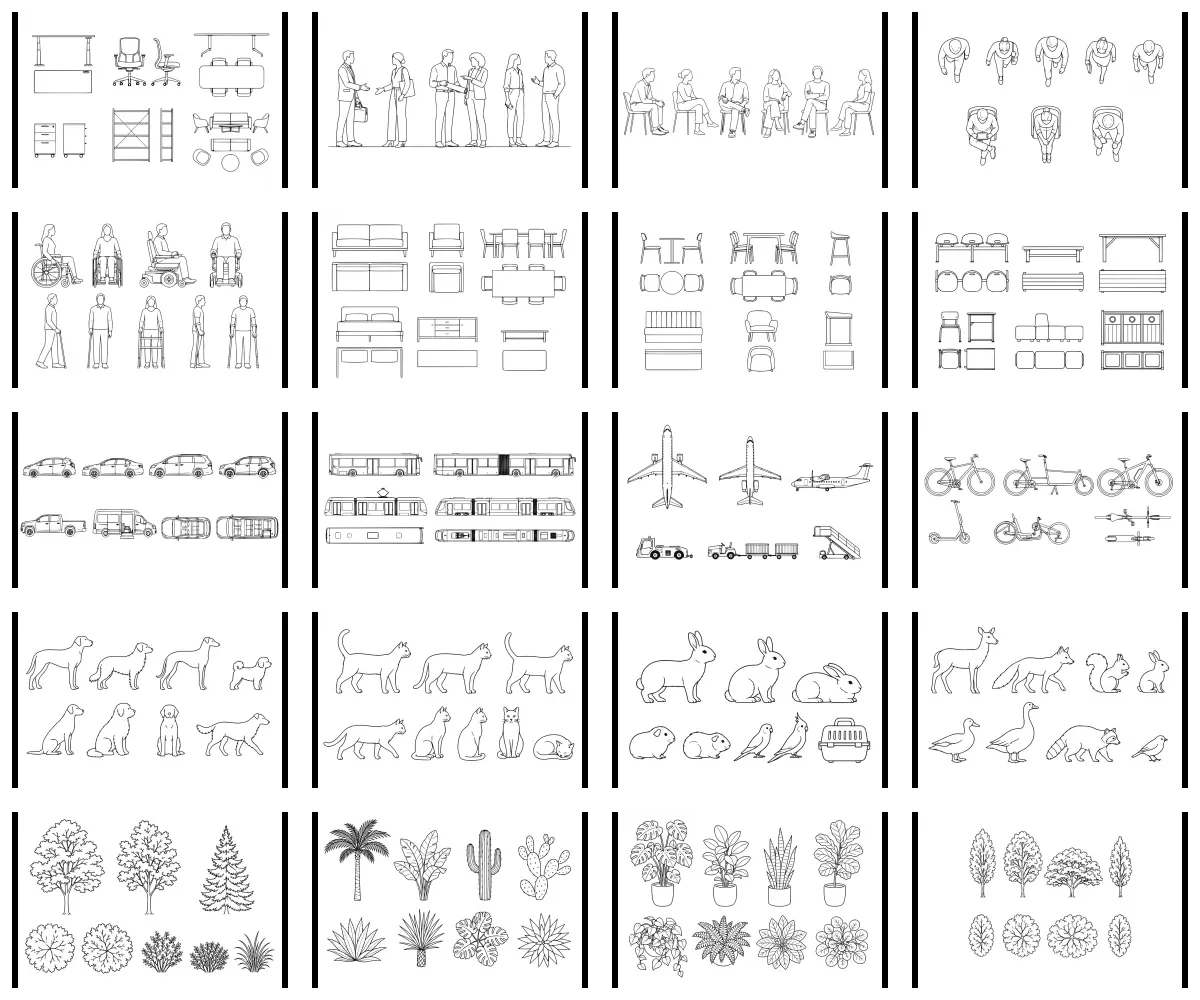
Generate people, furniture, mobility, vehicles, animals, and planting from 20 prompt-only architectural entourage systems.
- Output
- 20 architectural entourage prompt systems
- Tested
- ChatGPT
- Adobe Illustrator
- Price
- Checking access…
Documentation + QA Agent skill
Drawing Set Coordination Review
Review a PDF drawing set and produce a categorized, evidence-linked multidisciplinary coordination register.
- Output
- Issue register
- Tested
- Claude
- ChatGPT
- Adobe Acrobat
- +1
- Price
- Checking access…
BIM + data operations Prompt
Rhino-to-Grasshopper Automation Spec
Specify safe, non-destructive Rhino–Grasshopper automation with review gates using Raven inside Rhino 8 and Grasshopper.
- Output
- Rhino-to-Grasshopper Automation Spec Raven prompt
- Tested
- Raven
- Rhino 8
- Grasshopper
- Price
- Checking access…
Compare the wider task inventory on the Design + visualization task page.